

سيرة واحدة، بأيّ اللغتين، وكلتاهما كما ينبغي.
احتفظ بملف مهني واحد، وأنشئ لكل وظيفة سيرة مخصَّصة. ٤٦ قالبًا — ٣٨ منها مصمَّمة من اليسار إلى اليمين و٨ من اليمين إلى اليسار — و١٢ اقترانًا خطّيًا يزاوج كلٌّ منها خطًا لاتينيًا بخط عربي، فتُقرأ السيرة نفسها بعناية في اللغتين.
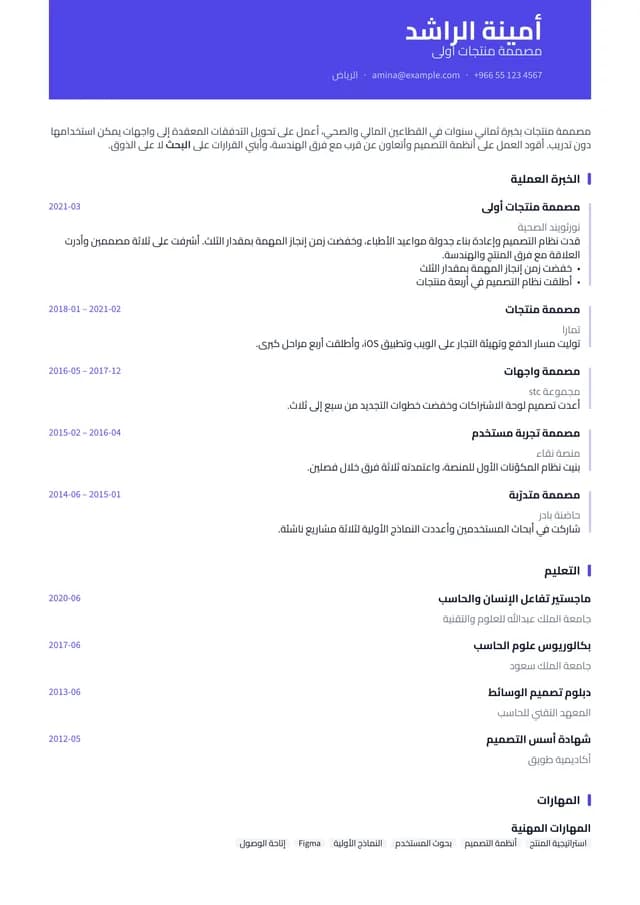
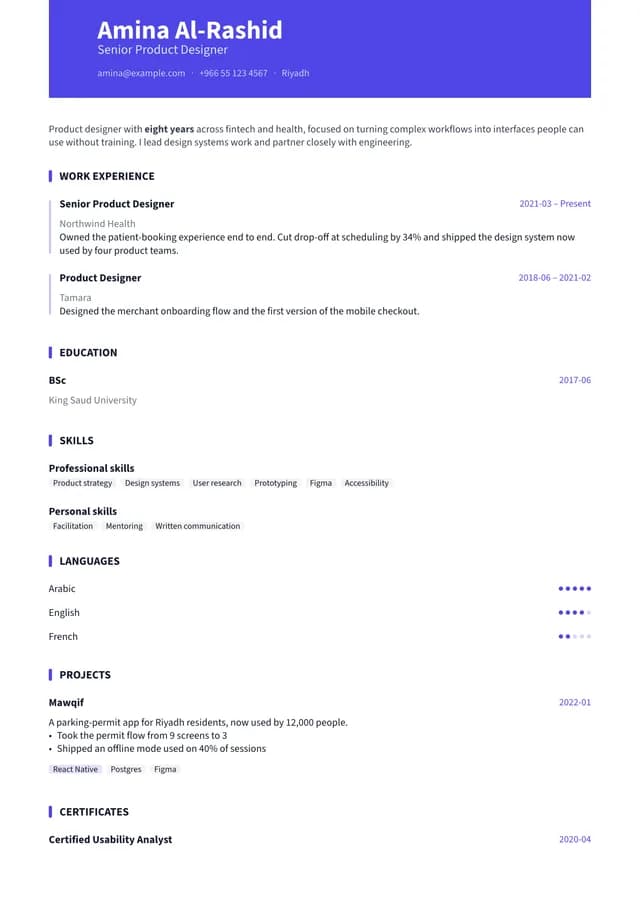
العربية والإنجليزية
معظم الأدوات تُحسن إحداهما فقط.
الإنجليزية عادةً بخير، والعربية عادةً تخطيط لاتيني مقلوب بأي خط وجده المحرّك — أو، في الأدوات المحلية، لا هذه ولا تلك بعناية. هنا صُمِّمت الاثنتان، وتخرجان من المحرّك نفسه، وكل صورة في هذه الصفحة صفحةٌ أنتجها المنتج فعلًا.

Liberation SerifAmiri 
Liberation SerifNoto Naskh Arabic 
Liberation SansNoto Sans Arabic 
EB GaramondAmiri
١٢ اقترانًا خطّيًا مزاوَجة بين الكتابتين
يأتي مع المنتج ١٧ عائلة خطّية. كل اقتران يضع خطًا لاتينيًا وخطًا عربيًا معًا بحسب النبرة — أميري مع EB Garamond، والقاهرة مع Source Sans 3، وريم كوفي مع Lato — فتُقرأ الصفحة المزدوجة كمستند واحد لا كمستندين. وكل سطر أدناه هو الاسم نفسه بالكتابتين، مقتطعًا من صفحة واحدة.
الاسم
أمينة الراشد
Amina Al-Rashid
المسمى الوظيفي
مصممة منتجات أولى
Senior Product Designer
نبذة
تحويل التدفقات المعقدة إلى واجهات يمكن استخدامها دون تدريب.
مُتروك فارغًا
اللغتان، حقلًا حقلًا
كل حقل يحمل قيمة إنجليزية وأخرى عربية. اكتب واحدة منهما فقط فتظهر وحدها — ولا تُترجَم آليًا إلى الأخرى.

المقاطع اللاتينية تحتفظ بترتيبها
رقم هاتف وبريد إلكتروني ومدينة عربية في سطر واحد يجري من اليمين إلى اليسار. الخطأ هنا هو ما يفضح سيرةً صُنعت بأداة لم تتوقع سوى اللاتينية.
المجموعة
قوالب تناسب طريقتك في القراءة
٤٦ قالبًا، والفروق المهمة ليست في العدد. كل قالب حزمة Typst حقيقية — وكل صفحة هنا أنتجها المنتج نفسه، بلغتك.
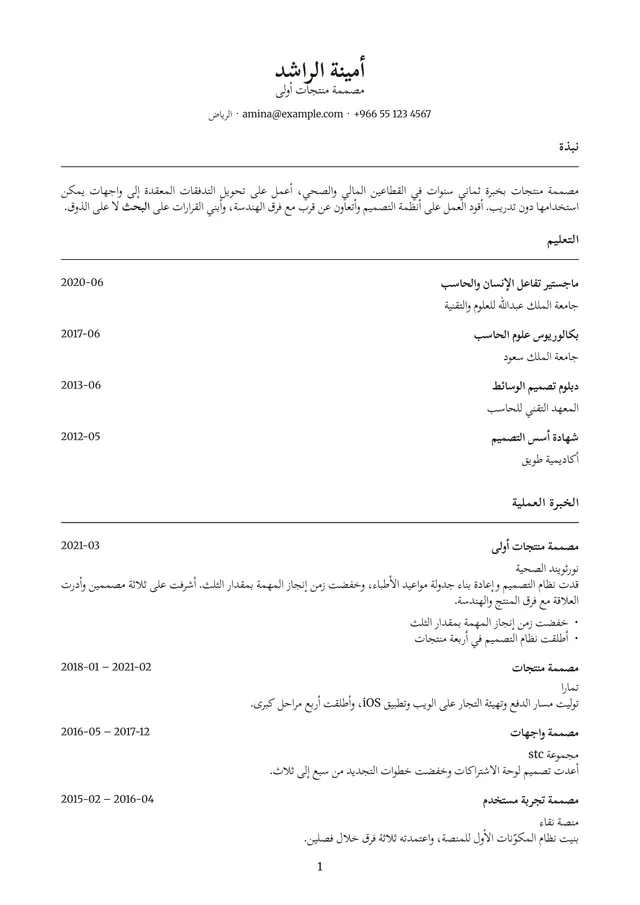
أكاديمي
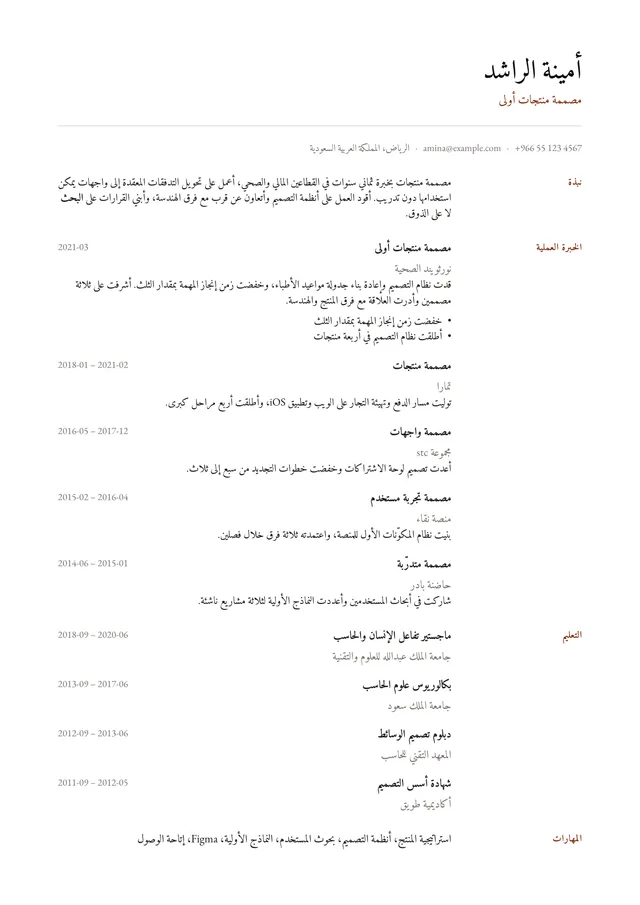
ديوان
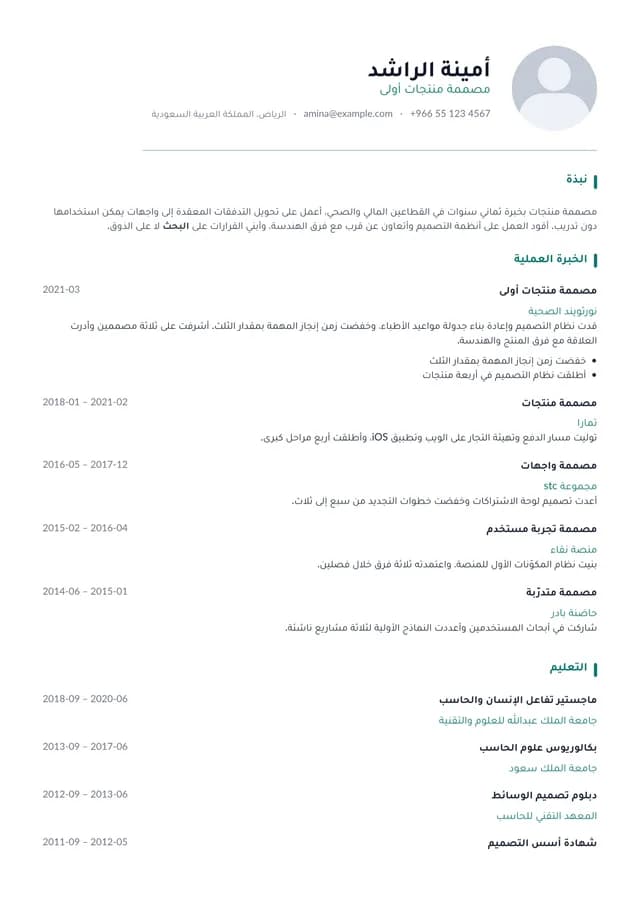
منارة
طريقتان لتكوين الصفحة
٣٨ مقاسة من الحافة اليسرى إلى الخارج، و٨ من اليمنى — فيقع الترويس والعمود الزمني والشريط الجانبي حيث يبدأ قارئ تلك اللغة. ليست صفحة معكوسة، بل صفحة مُكوَّنة.
٨٩ تنويعة لونية
درجات لون وتباعد منتقاة على ٣٧ قالبًا، فيصير القالب لك دون إعادة تصميمه. وكل لون مذكور لون تستطيع الصفحة إظهاره فعلًا.
١٢ اقترانًا خطّيًا
كل اقتران يوائم وجهًا لاتينيًا بآخر عربي في النبرة، عبر ١٧ عائلة خطّية.
٢٥ تقرأها الأنظمة بسلاسة
عمود واحد، بلا صورة، بعناوين حقيقية — القوالب التي تقرأها أنظمة تتبّع المتقدّمين دون تعثّر.
١٤ تحمل صورة شخصية
إطار صورة حيث يتوقّعه سوق الخليج، بالقصّ نفسه في كل قالب يتيحه.
من صفحة واحدة إلى ٨
كل قالب يعلن إلى أي حدّ يمتدّ قبل أن يتفكّك تصميمه، والمحرّر ينبّهك حين تتجاوزه.
وما دون ذلك
الأشياء التي ستفتقدها لو غابت
لا شيء مما يلي سبب لاختيار روليشيا دون غيرها. لكنه كله مبني، وكله يعمل اليوم.
ملف واحد يدخل، والصفحة نفسها تخرج
مسيرتك المهنية في ملف واحد، ومنه تُملأ كل سيرة جديدة عند إنشائها — ثم تصبح لكل سيرة نسختها الخاصة، فتخصيصك واحدة لوظيفة بعينها لا يمسّ البقية. والمحرّر يعرض بالمحرّك نفسه الذي يخرج منه ملف PDF، فالصفحة التي توافق عليها على الشاشة هي الصفحة التي تُرسل.
٣٢ فحصًا لسيرتك
تقييم يسمّي ما ينقص وما ينبغي فعله حياله — ويقرأ العربية بالدقة نفسها التي يقرأ بها الإنجليزية.
ملف PDF يصمد بعد الرفع
نص قابل للتحديد، وبيانات وصفية تقرؤها أنظمة تتبّع المتقدمين، واسم ملف عربي يصل سليمًا لا صفًّا من علامات الاستفهام.
رابط واحد بدل مرفق
انشر نسخة ويب من سيرتك، بكلمة مرور إن شئت. والعنوان الخاطئ يردّ تمامًا كما يردّ العنوان الخاص، فلا يتسرّب شيء بالتخمين.
استورد بدل أن تعيد الكتابة
أدخل ملف PDF أو Word، أو الصق النص، وابدأ بالتحرير بدل كتابة كل شيء من جديد.
أنماط جاهزة، لا منتقي ألوان
لكل تخطيط أنماط منسّقة للّون والكثافة، فيبقى التغيير الذي تجريه بنقرتين متناسقًا.
كيف تعمل
من خبرتك إلى سيرة مكتملة في أربع خطوات
أدخل خبرتك مرة واحدة
اكتبها، أو أدخل سيرة بصيغة PDF أو Word — أو الصق نصها.
اختر قالبًا
عائلتا تصميم تختار منهما، وكلٌّ منهما مُعلَّمة، والانتقال بينهما لاحقًا لا يكلّفك شيئًا.
حرّر إلى جوار المعاينة
عدّل الصياغة والترتيب ونوع الخط، وشاهد الصفحة تُعاد طباعتها أولًا بأول.
صدّر أو انشر
نزّل ملف PDF، أو انشر رابطًا واحدًا وحدّثه متى شئت.
أسئلة متكررة
أسئلة، وأجوبتها
أنشئ سيرتك الذاتية في العشر دقائق القادمة.
بلا كلمة مرور وبلا بطاقة ائتمان — بريدك وخبرتك فقط.
- سير ذاتية بلا حد
- كل القوالب
- تصدير PDF
- رابط عام للمشاركة
- بالعربية والإنجليزية
- بلا كلمة مرور